
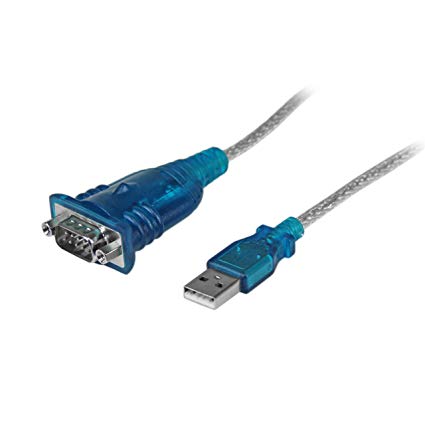
Адаптер USB-Serial
Подключить адаптер к USB-порту
 ## Открыть терминал и и посмотреть последние сообщения dmesg
Адаптер 1
sudo dmesg | tail
[  339.xxxxxx] usb 1-3: new full-speed USB device number 6 using xhci_hcd
[  339.xxxxxx] usb 1-3: new USB device found, idVendor=067b, idProduct=2303
[  339.xxxxxx] usb 1-3: new USB device strings: Mfr=1, Product=2, SerialNumber=0
[  339.xxxxxx] usb 1-3: Product: USB-Serial Controller
[  339.xxxxxx] usb 1-3: Manufacturer: Profilic Technology Inc.
[  339.xxxxxx] pl2303 1-3:1.0: pl2303 converter detected
[  339.xxxxxx] usb 1-3: pl2303 converter now attached to ttyUSB0
Адаптер 2
sudo dmesg | tail
[ 339.xxxxxx] usb 1-3: new full-speed USB device number 7 using xhci\_hcd
[ 339.xxxxxx] usb 1-3: new USB device found, idVendor=1a86, idProduct=7523
[ 339.xxxxxx] usb 1-3: new USB device strings: Mfr=0, Product=2, SerialNumber=0
[ 339.xxxxxx] usb 1-3: Product: USB2.0-Ser!
[ 339.xxxxxx] usbcore: registered new interface driver ch341
[ 339.xxxxxx] usbserial: USB Serial support registered for ch341-uart
[ 339.xxxxxx] ch341 1-3:1.0: ch341-uart converter detected
[ 339.xxxxxx] usb 1-3: ch341-uart converter now attached to ttyUSB0
В обоих случаях видим, что последовательный порт имеет имя /dev/ttyUSB0
Слушаем порт
sudo cat /dev/ttyUSB0
Комментарии
Пока комментариев нет.